
01.NanoBanana Pro: How to use it?
- Diana Gramada
- Dec 8, 2025
- 2 min read

Maybe you’ve seen NanoBanana Pro floating around the internet. Maybe you haven’t, and everyone using it is just quietly pretending they suddenly became designers, editors, photographers, and brand strategists overnight.
NanoBanana Pro is not just a “make me pretty” tool. It’s a full AI engine that can transform photos, create consistent characters, rebuild scenes, change environments, enhance quality. At its core, NanoBanana Pro takes whatever you give it a selfie, a product photo, a concept image and turns it into something refined, consistent, and usable. It blends style creation, identity preservation, and scene reconstruction in a way that feels almost unfair if you compare it to traditional editing.
Let's see how it works and how you can use it:
1. Professional Headshots (LinkedIn, CV, Portfolio)
LinkedIn Profile Photo
That blurry photo from 2019 where you're half-cut off? Replace it. Upload any decent photo of yourself, tell NanoBanana Pro you want a "professional LinkedIn headshot with neutral background," and done. You look employed.


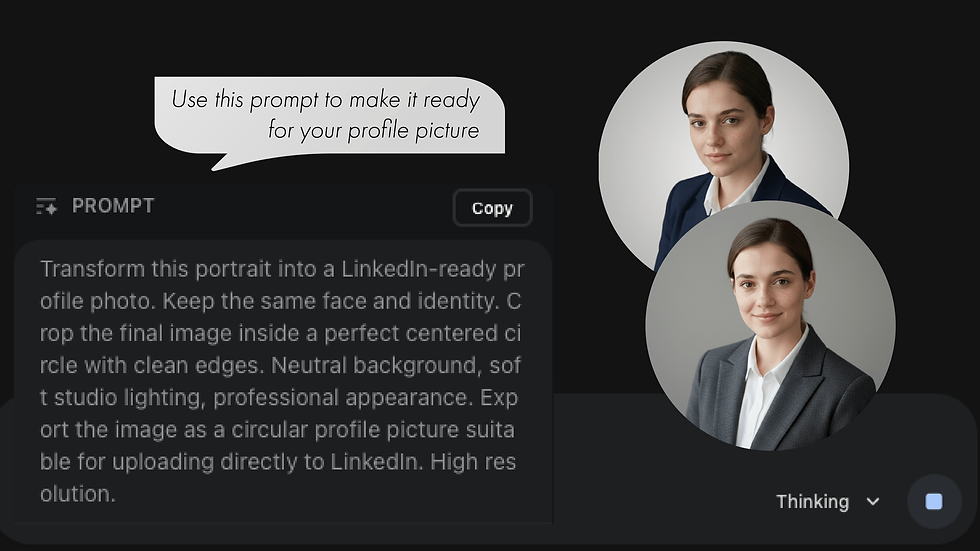
First result not perfect? Just tell it what to change:
"Make the background lighter"
"Add more warmth to the lighting"
"Make the expression more friendly"
"Remove the background blur"
NanoBanana Pro is great at iterative edits. You can keep refining until it's exactly what you want. Once you're happy with it, download the high-res. version. Use it for LinkedIn, your CV, email signature, website, wherever you need it.
2. Product Photography
Let’s take a hoodie I’m working on for my shop and create some visuals in NanoBanana Pro.


NanoBanana Pro is a tool everyone should know how to use in 2025. It can elevate your career, your brand, your business, or your content without costing you time, money, or equipment.


Comments